H3.SODD Fanless HTPC Chassis


Price: $248.00

H3.SODD Fanless HTPC Chassis
Click image to view enlarged

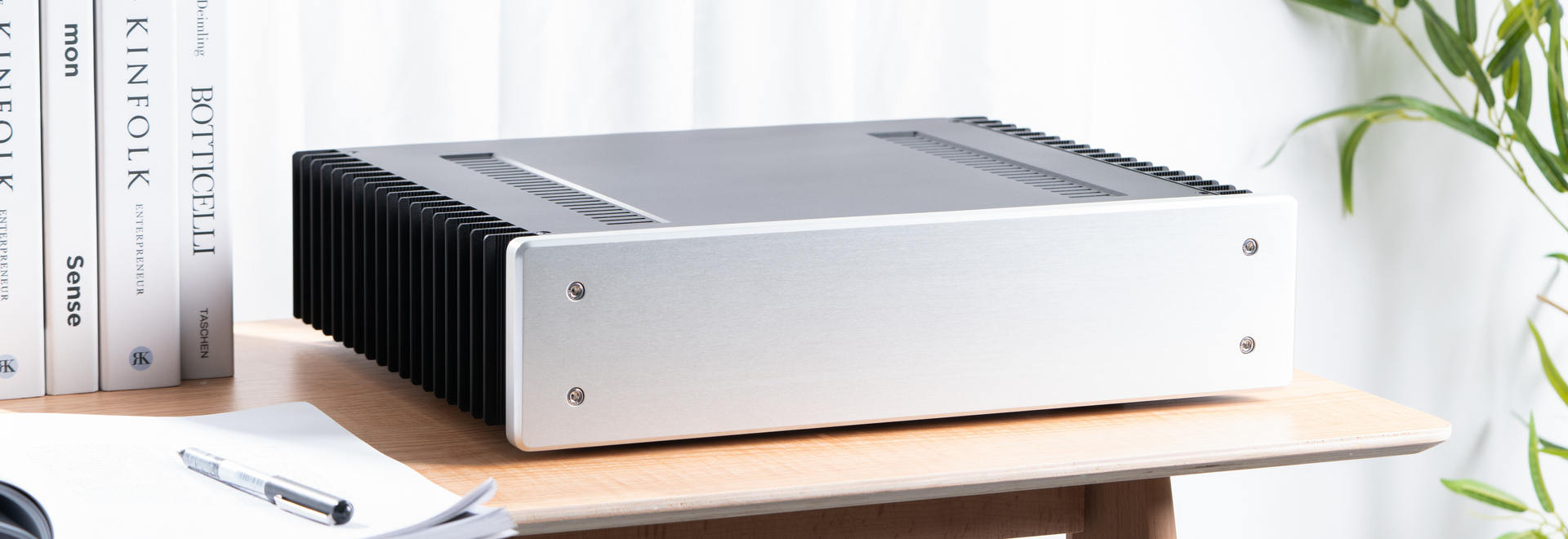
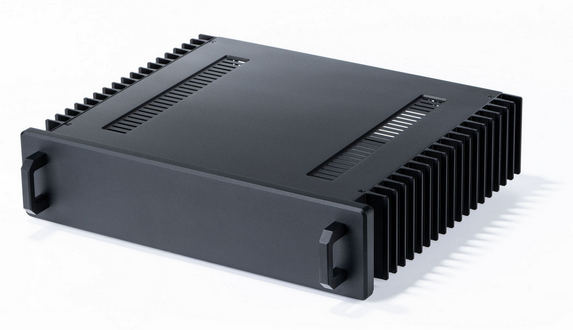
There are mini clients and then there is the H3.SODD. It's about as small of an enclosure as you can get for a mini-ITX motherboard. Featuring the same heat-pipe cooling we're know for, the H3 series support 3.5" and 2.5" HDD/SSD. Unlike most mini-ITX chassis, the H3 series support internal industrial grade 80W power supply besides the popular external AC/DC adapter with picoPSU solution. Yes, we know you don't like an extra brick H3.SODD is the perfect housing for your all-in-one HD streamer, media HUB, or hi-end audio transport.


Physical Spec

Type Super Low Profile Full Size Fanless Chassis
Chassis Material 6063T Aluminum
H3.SODD Body Internal 325mmx230mmx55mm (L x W x H)
H3.SODD Body External 325mmx298mmx60mm (L x W x H)
Aluminum Feet Ø29mmx8mm
Faceplate 320mmx68mmx15mm (L x W x D)
Weight 8 lbs
Body Color Black
Aluminum feet Color Black
Faceplate Color Black or Silver
Motherboard Compatibility mini-ITX Only

Power Supply

With Power Supply No
150W Fanless Adapter+DC-ATX Converter Supported, Adapter External Mounted Only
80W Fanless Open Frame Fanless Power Supply Supported, Internal Mounted
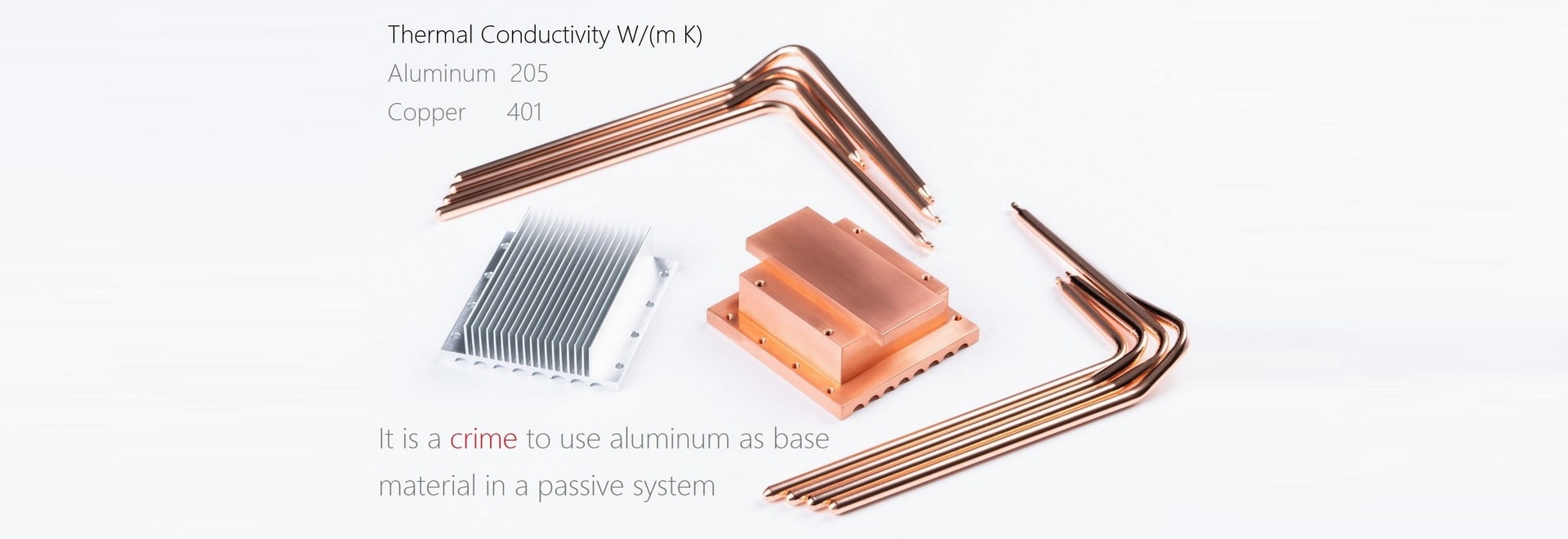
Cooling System HDPLEX Six heatpipe passive fanless heatsink System for LGA775/LGA1156/LGA1155/AM2/AM3 Socket CPU*
*Utilize Four heatpipe for AM2/AM3 socket.
Expansion
Internal 5.25" Drive Bays NONE
Internal Slim Optical Drive Bays 1 for 12.7mm Slot Loading Optical Drive
Internal 3.5"/2.5" Drive Bays 3x 2.5" HDD bay or 1 x3.5" HDD bay (see details here)
Expansion Slots No
Internal MCE IR Reciever Supported
Front Ports 1xUSB 2.0 or 1xUSB 3.0*
*Require motherboard onboard USB 3.0 Port
Manufacturer Warranty
Parts 1 year limited
Labor 1 year limited

HDPLEX H3.SODD Installation Guide

HDPLEX H3.SODD Fanless Chassis Installation Guide

HDPLEX Optical drive eject button driver download.

For win-32bit

For win-64bit

Microsoft Visual C++ 2010 Redistributable Package

For Linux

1. Remove the three screws on the top plate. Those screws has rubber cushion to protect it from damaging the edge of the hole. You could remove those rubber cushions after the installation is finished.


2. Install the IR PCB using one M3x4 screws.


3. Detach the 4PIN-mini-DIN power input plate.


4. Loosen the protection cover and install the IEC 3PIN plug on the back plate using two M3x12 screws.


5. Attach the ground PIN to right side of the IEC 3PIN plug.


6. Install CPU and copper heatsink and then install motherboard into the chassis. Please refer to the manual for detail HDPLEX heatsink system installation guide.


7. Using the barbell tool to apply a very THIN layer of thermal paste to the copper plate.


8. Apply a very THIN layer of thermal paste to the side heatsink panel.


9. Lay the heatpipe to the corresponding copper plate groove naturally and push the tip of the heatpipe into the side panel groove.


10. Push rest of the heatpipe gradually into the side panel groove and complete the heatsink system installation


11. Plug the 12PIN-20PIN cable onto the 80W power supply. Pay attention to the hook direction on the 12PIN plug.


12.Plug the 3PIN cable onto the 80W power supply.


13. Plug the IEC-5PIN cable onto the 80W power supply and install the PSU using four M3x12 screws


14. Install the hard drive.


15. Connect purple +5VSB cable from 20PIN plug to the IR PCB.


16. Install 2.5"HDD to the ODD Rack.


17. Install slim slot loading optical drive to the ODD Rack. You could take off the original plastic faceplate coming with the ODD before installing onto the rack.

Note:There is 2-3mm gap between the ODD and case faceplate.It won't affect the opertion of the slot loading process.


18. Install USB cable on he faceplate with two M3x12 screws.


19. Install ODD rack on the faceplate.


20. Install PWR PCB on to the faceplate. You could adjust the PWR PCB rack position to allow PWR button to be at the center of the top plate power button hole.


21. Install the ODD Eject Button and PCB on to the faceplate. Tight the screw just enough to let Button to be pushed freely.


22. Install faceplate on the the H3.SODD body.


23. Install PWR/LED Cable to PWR PCB.


24. Install the PWR Button.


Note: The bottom holder will conflict with small chips on the back of certain motherboards such as ASUS PH67-I,Intel DH67CF etc,. You could use scissors to cut or trim the bottom holder to solve this conflict.


H3 Series mini-client small factor HTPC chassis has the heatpipe on the left instead of right comparing to H10/H5 HTPC chassis. The compatible motherboard list should not be mixed with the H5 and H10 fanless computer chassis although they use the same HDPLEX fanless heatsink system. The heatpipe in fanless H3 HTPC chassis fly over the PCIEx16 slot. The 24PIN ATX plug will not block the heatpipe path in H3 HTPC SFF case.

H3.SODD provides a physical eject button which rely on special USB driver to realize eject function through OS. H3.SODD is thus compatible with all 12.7mm slim slot loading optical drives since the HDPLEX physical eject button does not interfere nor rely on the ODD's own eject button.

For H5 and H3 series, CPU with >65W TDP is not recommended. Due to the passive nature of the chassis, motherboard with high TDP chipset or onboard IGP such as Nvidia 9300/AMD 785G is not recommended. The HDPLEX fanless chassis is best for CPU with integrated GPU via 32nm or more advanced manufacturing process.


Compatible Motherboard List for H3.S and H3.SODD (Update Oct,25th 2011)


Intel LGA1156 socket for Intel Clarkdale CPU


Intel BOXDH57JG LGA 1156 Intel H57 HDMI Mini ITX
ZOTAC H55ITX-A-E LGA 1156 Intel H55 HDMI Mini ITX
ECS H55H-I LGA 1156 Intel H55 HDMI Mini ITX Intel Motherboard
GIGABYTE GA-H55N-USB3 LGA 1156 Intel H55 HDMI USB 3.0 Mini ITX Intel Motherboard

Intel LGA1155 socket for Intel Sandy Bridge CPU

Intel BOXDH67CF HDMI SATA 6Gb/s USB 3.0 Mini-ITX Intel Motherboard
ECS H67H2-I LGA 1155 Intel H67 HDMI SATA 6Gb/s USB 3.0 Mini-ITX Intel Motherboard
ZOTAC H67ITX-C-E WiFi LGA 1155 Mini-ITX
Gigabyte H67N-USB3 LGA 1155 Mini-ITX
ASRock H67M-ITX/HT LGA 1155 Mini-ITX
ASROCK H67M-ITX LGA 1155 Mini-ITX
ASUS P8H67-ITX LGA 1155 Mini-ITX
BIOSTAR TH61 ITX LGA 1155 Mini-ITX
MSI H61I-E35 (B3) LGA 1155 Mini-ITX
Intel BOXDH61DLB3 LGA 1155 USB 3.0 Mini-ITX
ASUS P8H61-I (REV 3.0) USB 3.0 Mini-ITX
Giada MI-H61-01 LGA 1155 HDMI USB 3.0 Mini-ITX
ASRock Z68M-ITX/HT LGA 1155 HDMI SATA 6Gb/s USB 3.0 Mini-ITX
ZOTAC Z68ITX-A-E LGA 1155 Intel HDMI SATA 6Gb/s USB 3.0 Mini-ITX

Intel LGA1155 socket for Intel Ivy Bridge CPU

ZOTAC Z77ITX WiFi LGA 1155 Mini-ITX
ZOTAC H77ITX WiFi LGA 1155 Mini-ITX
Asus P8H77-I Mini-ITX
Asus P8Z77-I Deluxe Mini-ITX
Asrock Z77E-ITX
Asrock H77M-ITX

AMD FM-1 socket for Llano CPU

Gigabyte GA-A75N (Hudson D3) Mini-ITX AMD Motherboard

NOT Compatible with HDPLEX heatsink system for H3 Series


Intel LGA775 G41 mini-ITX motherboard
ZOTAC GF9300 Series LGA 775 NVIDIA GeForce 9300 HDMI Mini ITX Intel Motherboard
Giada MI-H55-01 LGA 1156 Intel H55 HDMI Mini ITX Intel Motherboard
ZOTAC 880GITX-A-E AM3 AMD 880G HDMI SATA 6Gb/s USB 3.0 Mini ITX AMD Motherboard
ASUS F1A75-I Deluxe FM1 AMD A75 (Hudson D3) HDMI SATA 6Gb/s USB 3.0 Mini ITX AMD Motherboard
ASRock A75M-ITX FM1 AMD A75 (Hudson D3) HDMI SATA 6Gb/s USB 3.0 Mini ITX AMD Motherboard

HDPLEX H3.S Package Content

HDPLEX H3.SODD Package Content


H3.SODD Chassis x 1

HDPLEX Heatsink System with 6 heatpipe x 1

Artic Silver 5 Thermal Paste 3.5g Tube x 1

Installation Manual x 1

Installation Kit x 1 (including cable organizer and hex screw driver)

ODD Rack x 1

6-7PIN mini SATA Power-Data cable for Slim ODD x 1

USB 2.0 Internal Cable x 1

USB 3.0 Internal Cable x 1


HDPLEX H3.SODD Package Optional Content


80W Power Supply w/ Power Cord

150W FSP Adapter+DC-ATX Converter w/Power Cord

IR receiver with MCE Remote

Slim Slot Loading Optical Drive


Copyright © 2007-2012 HDPLEX INC.. All Rights Reserved. | Return Policy | Privacy Policy | Blog | Site Map